
Desktop and mobile planning
Plan on desktop or mobile. Go prepared.
Build or review routes on a bigger screen when that helps, make changes on the device in your hand, and carry the route data outdoors on phone or tablet.
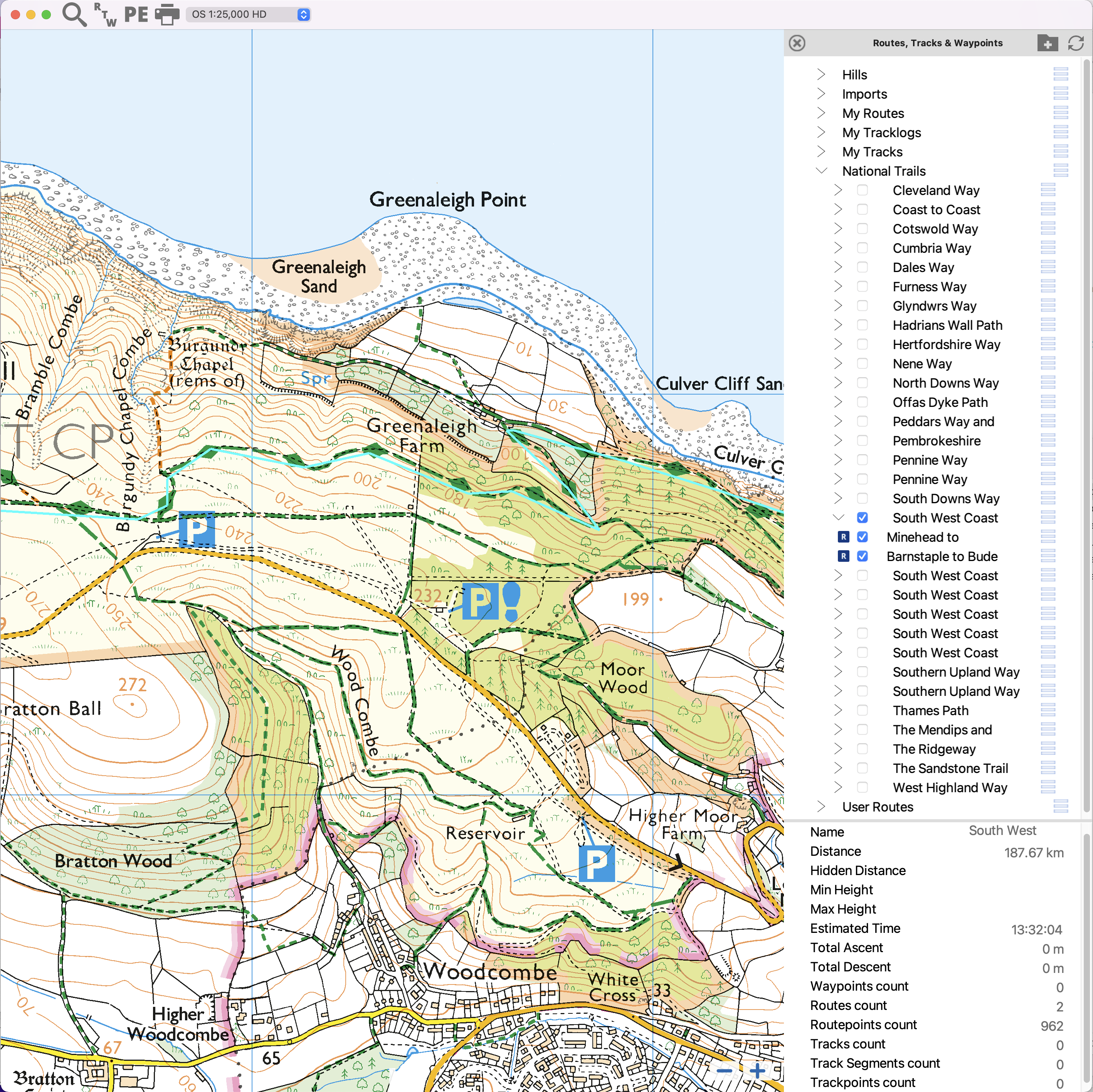
Use the screen that fits the job
Desktop is useful for large-screen review, file handling, and printing, while mobile keeps map and route context with you outdoors.
- Plan and review on Windows or macOS.
- Use phone or tablet when the route comes with you.
Keep mobile capable
Mobile is part of the planning and field-use workflow, so you can review route context on the device in your hand.
- Make changes on the device in hand.
- Carry route, track, and waypoint data outside.
Use one working library
Keep route, track, and waypoint data in one working library that makes sense across desktop and mobile.
- Routes, tracks, and waypoints are personal data.
- Offline map downloads stay per device.
Desktop still matters
Desktop gives OMN4 a serious planning, review, printing, and file-work story that many mobile-first products do not emphasise.
- Review more map detail at once.
- Prepare GPX and print workflows with room to work.
Help and detail
Use the help centre when you want step-by-step setup, platform, or workflow instructions for this feature.
Ready to plan properly?
Start a 7 day trial, install OMN4 on the devices you use, and download the maps you need before your next route.